Starlink Roam for RV Review (2026): Plans, Setup, Power, and Real-World Expectations (US Guide)
Updated: January 2026 (Pricing/policies can change—verify in your account and on the Starlink Roam page.)
Above-the-Fold “Quick Answer”
- Best for: RVers who camp/travel beyond reliable cellular coverage and need stable internet for remote work and calls.
- Plan pick: Occasional trips → Roam 50GB ($50/mo); Frequent travel → Roam Unlimited ($165/mo). Starlink
- In-motion: Starlink states in-motion use is supported with Roam plans; rules and authorized locations can vary—confirm inside your account.
- Speed reality: Starlink is often good enough for video calls and gaming, but Roam data is typically deprioritized vs other plans—expect slower speeds in congestion.
- Power draw: Mini ~20–40W avg (15W idle); Standard/Enterprise ~75–100W avg (20W idle).
- #1 failure mode: Obstructions (trees/roofline) → dropouts; placement is everything.
- Pause/standby: “Pause anytime with Standby Mode” exists, but terms/fees can change—verify in your Service Plans view.
1) Who it’s for / not for
Who it’s for
- Full-timers / remote workers who need consistent connectivity off-grid
- Boondockers / dispersed campers where cellular is weak
- Families streaming + working concurrently (extra headroom helps)
Who it’s not for
- Mostly urban/campground stays with strong 5G (cellular-first can be cheaper)
- Heavy tree-canopy routes with no viable pole/relocation options
- Ultra-low-power rigs with limited battery/solar/inverter capacity (see Power section)
2) Decision Framework (If/Then)
- If you travel a few weekends/month and can manage data → choose Roam 50GB.
- If you work daily on the road or stream heavily → choose Roam Unlimited.
- If you want lowest power draw and simplest battery life → prioritize Starlink Mini + a proper USB-C PD plan.
- If you’ll use internet while driving → confirm in-motion rules + authorized locations for your account/country.
- If your campsites are often under trees → plan a pole mount + placement workflow (obstruction mitigation)
- If you already have strong carrier coverage → consider cellular-first + Starlink backup (hybrid)
3) Plans & Pricing (US) – What to choose
Starlink plan names/pricing/features can change; treat this section as selection logic and verify the current details during checkout/account flow.
Roam 50GB
- $50/mo (US)
- Includes 50 GB Roam Data
- Option to purchase additional data by the GB (availability/price can be country-specific)
- Best for: seasonal/occasional travel + predictable usage
Roam Unlimited
- $165/mo (US)
- “Unlimited” Roam Data (with congestion realities—see Performance section)
- In-motion is presented by Starlink as supported on Roam; policy details can vary—confirm in your account.
Pause / Standby (account management)
- Starlink markets: “Pause Anytime with Standby Mode”
- Some markets have treated Standby as a paid pause state; confirm what your account shows before promising “free pause.”
Plans comparison table (US)
| Item | Roam 50GB | Roam Unlimited | Pause / Standby |
|---|---|---|---|
| Monthly price | $50/mo | $165/mo | Varies by market/account |
| Data | 50GB + add-on option | Unlimited Roam Data (deprioritized in congestion) | May be a limited/low-speed state depending on plan/market |
| Best for | Occasional trips | Frequent travel + heavy work/streaming | Not traveling; want account control |
| In-motion note | Supported on Roam plans (verify) | Supported on Roam plans (verify) | Not a performance feature |
4) Hardware & Accessories (what to buy for RV)
Your kit choice is usually decided by (1) power budget, (2) mounting workflow, and (3) whether you care about driving connectivity.
Hardware Options — Choosing the Right Dish
Hardware Showdown: Standard Gen 3 vs. Starlink Mini vs. High Performance
Standard Gen 3 (The New Standard)
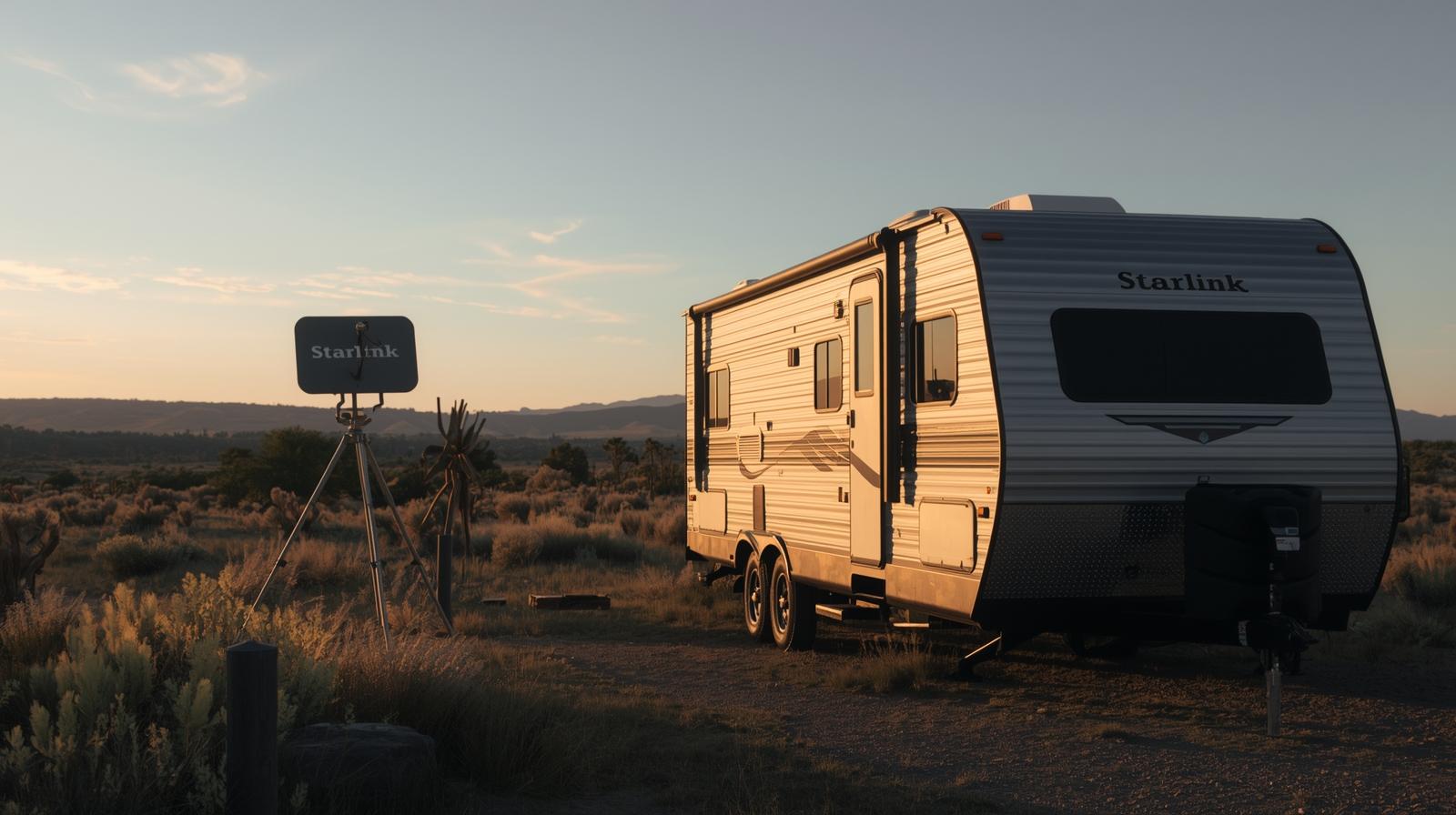
- Kickstand-style setup (portable “set it down and aim” workflow)
- Best fit: typical stationary RV use where you can prioritize clear sky placement
Starlink Mini (The Nomad’s Favorite)
- Compact and travel-friendly; includes a built-in Wi-Fi router
- Lower power consumption; supports DC input and USB-C PD workflows
- “Is it powerful enough?” → Usually fine for work/calls, but like all Roam use, congestion and deprioritization can limit peak-hour performance
Flat High Performance
- Often chosen for “driving workflow” installs (where allowed)
- Tradeoff: higher cost and higher power; Starlink’s performance-class kits draw more than Standard (verify the exact kit you’re buying)
Comparison Table (quick selection)
| Hardware | Price | Power Draw (Watts) | In-Motion Capable? | Size |
|---|---|---|---|---|
| Standard Gen 3 | Varies (verify at checkout) Starlink | 75–100W avg; 20W idle | Starlink says in-motion supported on Roam | Medium |
| Starlink Mini | Varies (verify at checkout) Starlink | 20–40W avg; 15W idle | Starlink says in-motion supported on Roam | Small |
| High Performance class | Varies (verify at checkout) Starlink | Often higher (e.g., 110–150W avg on performance-class kits) | Common choice for driving installs (policy/authorized locations apply) | Large |
Must-have accessories (don’t skip)
- Mount (match your travel style): tripod / pole mount / roof mount
- Cable management: UV-rated clips, strain relief, weather grommet
- Power gear: inverter or DC/PD solution sized to your kit draw (see Power section)
5) Setup / HowTo
- Plan your install style
- Choose: portable (tripod/pole) vs permanent (roof mount)
- Define: park-only vs park + in-motion needs (policy check)
- Site selection workflow (obstructions)
- Use the Starlink app obstruction check (aim for the clearest sky view)
- Avoid: trees + roofline + A/C units blocking dish view
- Rule: prioritize “clear view” over convenience
- Physical install
- Assemble dish + mount
- Secure for wind/vibration
- Route cable: avoid pinch points; add strain relief
- Power + bring online
- Connect power source (shore/generator/inverter/DC/USB-C PD)
- Complete router/app setup
- Confirm firmware updates + initial link
- Verify performance (baseline test)
- Run speed tests at off-peak and peak hours
- Log: obstruction %, dropouts, typical Mbps
- Note: Roam data can be deprioritized in congestion
6) Power Planning (quick specs + sizing notes)
Power is often the deciding constraint. Use official guidance for your exact kit and assume real-world draw varies with temperature, location, and usage.
Typical power draw (spec box)
- Mini: 20–40W avg; 15W idle
- Standard/Enterprise: 75–100W avg; 20W idle Starlink
- Performance-class kits: can be higher (example: 110–150W avg; 45W idle on performance-class kits) Starlink
Power table (quick reference)
| Kit | Typical average draw | Idle draw | Input / notes |
|---|---|---|---|
| Starlink Mini | 20–40W avg | 15W | USB-C PD: 100W recommended; below 65W won’t work |
| Standard / Enterprise | 75–100W avg | 20W | Size inverter/battery for sustained draw + overhead |
| Performance-class | 110–150W avg | 45W | Verify exact kit; plan for higher steady-state load |
Power decision
- Battery-only camping → Mini is easiest to sustain
- Standard kit → plan for sustained ~100W plus inverter overhead
- Mini input → follow USB-C PD requirements (100W recommended; minimum constraints apply)
7) Real-World Performance Expectations (what to promise / not promise)
- Starlink users typically see download speeds that can be sufficient for streaming and video calls, and latency commonly in a range that supports gaming and Zoom—but this is not a guarantee.
- For Roam specifically: Roam data is typically deprioritized vs other service plans, so speeds can drop in congested areas/peak hours.
- Practical baseline: test at your real campsites; keep a cellular fallback for redundancy.
8) In-Motion Use
In-motion is policy- and location-dependent. Use this as a checklist and confirm terms for your account.
- Starlink states: “In-motion use is supported with all our Roam service plans.”
- Starlink’s legal/service docs reference in-motion thresholds (e.g., up to 100 mph / 160 kph in certain plan descriptions) and data priority terms—verify what applies to your plan and market.
Checklist bullets
- Verify your account’s in-motion eligibility and any authorized-location rules
- Verify mount + cabling are rated for vibration and wind load
- Don’t assume “better dish” fixes obstructions—clear sky still dominates results
9) Troubleshooting
A) Frequent dropouts
- Likely cause: obstructions / partial sky view
- Fixes: relocate dish, go higher with a pole mount, move away from roof obstacles
B) “Slow speeds” at certain times
- Likely cause: congestion; Roam plans can be deprioritized Starlink+1
- Fixes: test off-peak; improve sky view; consider plan/workflow changes; add cellular failover
C) No connection / can’t find satellites
- Likely cause: setup not completed, firmware, cable/power issue
- Fixes: reboot router + dish; reseat cables; confirm power supply capacity
D) Power-related resets
- Likely cause: inverter undersized / voltage sag
- Fixes: upgrade inverter; use dedicated circuit; for Mini follow USB-C PD guidance
E) Can’t “pause” / resume confusion
- Fix: use your account’s Service Plans/Standby flow; rules can be market-dependent
Troubleshooting table (symptom → cause → fixes)
| Symptom | Likely cause | Fixes (from this guide) |
|---|---|---|
| Frequent dropouts | Obstructions / partial sky view | Move rig; pole mount higher; relocate dish away from roof obstacles |
| Slow speeds at certain times | Congestion; Roam deprioritization | Test off-peak; reposition; consider plan/workflow changes; add cellular failover |
| No connection | Firmware/setup/cables/power | Reboot; check cables; confirm power supply capacity |
| Power-related resets | Inverter undersized / voltage sag | Upgrade inverter; dedicated circuit; Mini PD compliance |
| Pause/resume confusion | Account flow/market rules | Verify in Service Plans/Standby flow |
10) Alternatives & Comparison
Most RV setups end up hybrid. Use this as selection logic—not performance guarantees.
Cellular-first (hotspot/router)
- Best when: consistent Verizon/AT&T/T-Mobile coverage; lower monthly cost
- Weak when: remote valleys/deserts/mountains with weak towers
GEO satellite (legacy providers)
- Best when: fixed rural use with low interactivity needs
- Weak when: latency-sensitive apps, tighter data caps (provider-dependent)
Campground Wi-Fi + boosters
- Best when: short stays; light browsing
- Weak when: shared congestion; not reliable for work-grade calls
Hybrid recommendation (common RV stack)
- Cellular router + Starlink (choose primary based on campsite)
- Works well when you plan for redundancy instead of expecting one perfect solution
Starlink highlights Roam as “works anywhere in 150+ countries & territories” (useful context, but confirm coverage/authorization for your route).
Alternatives decision matrix (qualitative)
| Option | Best when | Weak when | Notes |
|---|---|---|---|
| Cellular-first (hotspot/router) | Strong carrier coverage; cheaper baseline | Remote boondocking | Often the lowest-cost default if coverage is real |
| GEO satellite | Fixed use; non-latency-critical | High latency; tighter caps | Provider-dependent; compare carefully |
| Campground Wi-Fi + boosters | Light use; convenience | Work-grade reliability | Works as a “nice-to-have,” not a foundation |
| Hybrid (cellular + Starlink) | Want redundancy | More complexity | Common “serious RV internet” approach |
How we evaluated
- Reviewed Starlink Roam plan page + Service Plans descriptions Starlink
- Used Starlink official support articles for power and Roam plan definitions Starlink Support
- Used Starlink legal/service documents for data priority and policy language Starlink legal
- Built decision logic around: travel frequency, power budget, tree-cover risk, and backup connectivity
Limitations
- Plans/pricing/policies can change quickly; verify before purchase
- Performance depends on congestion + obstructions + weather; no fixed speeds can be guaranteed
- In-motion authorization can be location-dependent; confirm inside your account
Safety disclaimer
- Roof work: fall risk; use proper ladders/spotter; avoid wet/windy conditions
- Electrical: inverter wiring and fusing must follow RV codes; consult a qualified tech
- Drilling/sealing: water ingress risk; use proper glands/sealants
13) FAQ
What is Starlink Roam for RV, and how is it different from Residential?
- Roam is designed for mobile/portable travel use (camping, travel, nomadic living)
- Residential is tied to a fixed service address and household use (verify current rules in your account)
How much does Starlink for RV cost in the US?
- Roam 50GB: $50/mo
- Roam Unlimited: $165/mo
Can I use Starlink while my RV is moving?
- Starlink states in-motion is supported on Roam plans—verify authorized locations and account eligibility
What Starlink equipment is best for an RV?
- Mini: best for low power + portability (20–40W avg)
- Standard: common “park-and-work” default (75–100W avg)
- High Performance class: for higher power/cost installs; verify exact kit and needs
How do I mount and set up Starlink on an RV?
- Choose: tripod vs pole vs roof mount
- Follow the Setup steps section above
Can I pause service when not traveling?
- Starlink promotes Standby Mode for pausing, but terms/fees can be market-dependent—verify in your account
How much power does Starlink use in an RV?
- Mini: 20–40W avg; 15W idle
- Standard/Enterprise: 75–100W avg; 20W idle
Does Starlink Roam have data limits or throttling?
- Roam 50GB: includes 50GB + option to buy more data by the GB
- Roam Unlimited: no data cap, but Roam data is typically deprioritized in congestion
How does Starlink compare to a 5G hotspot for RV?
- Use the alternatives matrix: coverage vs cost vs reliability
- Strong 5G areas: cellular can be cheaper
- Remote areas: Starlink can be the difference-maker
What’s the #1 reason Starlink fails at campsites?
- Obstructions (trees/roofline) → dropouts; placement workflow matters most
How can I power Starlink Mini from DC/USB-C?
- Use USB-C PD with 100W recommended; below 65W won’t work
Does Starlink work outside the US?
- Roam is marketed as working in 150+ countries & territories; confirm coverage and authorization for your route