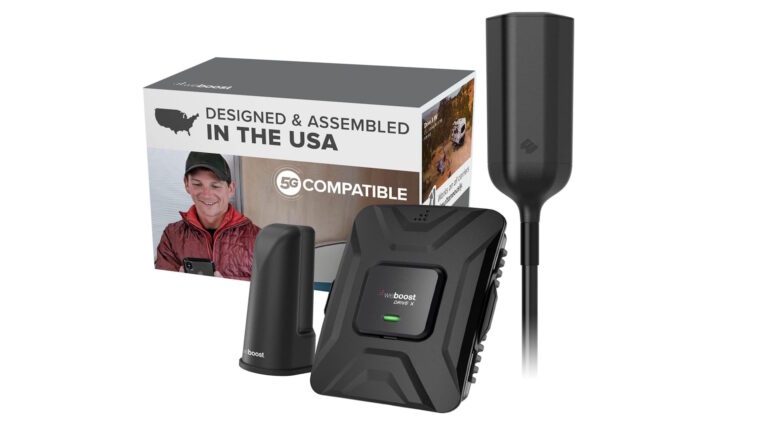
PHONETONE Cell Phone Booster Review: The Budget RV Signal Fix That Works (If You Install It Right)
Affiliate Disclaimer: This article contains affiliate links. If you click through and make a purchase, I may earn a small commission at no extra cost to you. This helps support my deep-dive research.
Quick Verdict (TL;DR)
- If your RV has some outside signal and you’re willing to mount the antenna correctly, the PHONETONE Cell Phone Booster often turns “barely usable” into “reliably usable.”
- It’s not magic: if you’re truly in a dead zone, or you pick the wrong band coverage for your carrier, results can be disappointing.
- Best for RVers who work remotely, need dependable calls/texts, and want a budget RV cell signal booster with a reasonable learning curve.
Confidence Score: 7.3/10 (high upside with correct setup; mixed outcomes when expectations/installation are off)
Check price on Amazon
The Classic RV Signal Problem (And Why You’re Not Crazy)
I’ve lost count of how many RVers describe the same situation: you pull into a gorgeous campsite… and your phone immediately turns into a paperweight. Calls cut out. Texts hang. Hotspot is “connected” but nothing loads. And somehow the only place you can get one usable bar is with your arm held outside a window like you’re trying to summon satellites.
This review is a deep-dive synthesis of 200 Amazon owner reports for the PHONETONE Cell Phone Booster to save you hours of scrolling, guessing, and buying the wrong fix. I’m not here to hype it. I’m here to tell you what actually happens in the real world—especially the stuff that only shows up after people install it, troubleshoot it, and live with it.
How We Evaluated It (So You Know What This Review Is Built On)
For this review, I analyzed 200 owner reviews and focused on repeatable patterns:
- What people said improved (calls, texts, data reliability, indoor coverage)
- What caused failures (installation, expectations, band mismatch, “no outside signal” situations)
- The “hidden” ownership details (cable management, antenna placement, indicator lights, return/exchange experiences)
Overall rating pattern (from the dataset):
- 5-star: 66 reviews (33%)
- 4-star: 34 reviews (17%)
- 3-star: 52 reviews (26%)
- 2-star: 24 reviews (12%)
- 1-star: 24 reviews (12%)
That distribution matters: this product is not universally loved or universally hated. It’s a classic “high upside if installed correctly” device—and the reviews read exactly like that.
What a Cell Booster Is (And What It Is Not)
Before we get tactical, here’s the simplest way to think about it:
A cell booster does this
- Takes an existing weak signal from outside (via an outdoor “donor” antenna)
- Amplifies it
- Rebroadcasts it inside your RV via an indoor antenna
A cell booster does not do this
- Create signal where none exists
- Replace Starlink or campground Wi-Fi
- Guarantee faster internet if the tower is congested
- Fix a bad plan, throttling, or heavy network traffic
If you want the bigger “whole system” view—how cellular, routers, Wi-Fi extenders, and satellite fit together—start with:
- RV Tech and Connectivity
…and if your plan includes a router setup: - Best RV Wi-Fi Boosters & Routers (Setup Tips)
Technical Deep Dive (Plain English, RV-Relevant)
The 3-Part Booster System
Almost every owner story—good or bad—comes down to these three pieces:
- Outdoor antenna (donor antenna)
This is the “ears.” Height and direction matter a lot. Several owners used existing poles (like a TV pole) and saw big improvements when the antenna was elevated. - Amplifier (the booster unit)
This is the “muscle.” Owners often mention it being “plug-and-play” (no knobs), but the amplifier can only work with the signal it receives. - Indoor antenna (rebroadcast antenna)
This is the “speaker.” Placement affects how much of your RV benefits—especially if your rig has metal framing/skin that blocks RF (radio frequency).
Why RVs Are Hard Mode
RVs are basically rolling signal blockers:
- metal framing
- aluminum skin
- tinted/metalized windows in some rigs
- appliances and wiring that add interference
That’s why a booster can feel dramatic in an RV: you’re often taking a marginal outside signal and “bringing it inside” your Faraday-cage-on-wheels.
Key Features (Benefit-Driven + Comparative Table)
Below is a reality-based table written the way RVers actually experience this category.
Note: “Manufacturer says” reflects common listing-style claims owners referenced (multi-carrier support, easy install, improved signal). The value here is the “what it means” and “compared to competitors” columns.
| Feature | What the Manufacturer Says | What It Actually Means (User Experience) | Compared to Competitors |
|---|---|---|---|
| Multi-carrier signal boosting | “Works with major U.S. carriers” | Owners mention success with AT&T and Verizon most often, with some T-Mobile wins too. But carrier + band + location still decides outcomes. | Typically more budget-friendly than premium kits; less forgiving if you’re on the edge of coverage. |
| Outdoor directional panel antenna | “Stronger reception” | Direction and height are everything. Many “it works!” reviews involve moving the antenna, raising it, or aiming it toward a tower. | Similar concept to premium kits, but premium options can be more consistent in fringe zones. |
| Plug-and-play amplifier (no tuning knobs) | “Easy setup” | Several owners loved the simplicity—power it on and go. But if it’s not working, you troubleshoot placement (not settings). | Easier than older knob-tuned boosters; premium units may have better diagnostics. |
| Indicator lights / status feedback | “Smart performance” | A few owners referenced red/green light behavior and “feedback” issues—usually solved by increasing antenna separation. | Many boosters behave similarly; premium kits may explain status codes more clearly. |
| Cable run + indoor coverage | “Improves indoor signal” | Cable length and routing matter. Some owners noted extra cable loops, and a few nitpicked cable visibility. Coverage depends on where you put the indoor antenna. | Premium RV kits may include RV-specific mounting/cable management accessories. |
| Real-life outcome | “Fewer dropped calls, better data” | The most believable “win” pattern: calls/texts become reliable; data becomes usable for light work/Zoom when the outside signal exists. | In very weak areas, premium boosters often win; in moderate weak-signal areas, budget boosters can be “good enough.” |
If you’re price-checking while you read: PHONETONE on Amazon
Installation Reality (The #1 Determinant of Success)
Across the dataset, installation and positioning came up constantly. In fact, “install/setup/antenna” language shows up in a large share of reviews—because it’s the difference between a 5-star experience and a 1-star rage post.
Here’s the cleanest RV-friendly installation path, based on the owner patterns:
Step-by-Step: The “Test Before You Commit” RV Method
- Do a quick outside signal check first
Walk outside the RV and see if you can get any workable signal. A booster can amplify weak signal; it can’t invent signal. - Temporarily mount the outdoor antenna
Don’t permanently drill on day one. Use a temporary mount (ladder mount, pole clamp, or a simple test position). - Aim/position toward the best direction
Many owners referenced using a phone app to find tower direction or compare signal strength while repositioning. - Place the indoor antenna far from the outdoor antenna
A recurring fix for “red light” or feedback issues was increasing separation—distance and/or putting more structure between them. - Only after it works, lock in the final routing
Once you see reliable improvement, then you make it clean: cable routing, mount tightening, strain relief.
If you’re also building out your power protection and electrical safety setup while adding tech, these are worth skimming:
Real User Experience Analysis (Deep Pattern Breakdown)
Here’s what owners repeatedly reported—organized by the themes that actually matter for RV use.
1) The “It Works” Reviews Usually Have One Thing in Common: Antenna Placement Discipline
Owners who succeeded tended to describe:
- moving the outdoor antenna more than once
- mounting it higher (often on an existing pole)
- aiming it more deliberately
- increasing separation to avoid feedback
In plain terms: they treated setup like a mini project, not a one-minute plug-in.
Pattern signal: “install/installation” language appears in roughly 74 of 200 reviews—because placement is the product.
2) Bars Don’t Tell the Whole Story (And Owners Called This Out)
A smart recurring point from experienced reviewers: don’t obsess over “bars.” Focus on:
- fewer dropped calls
- clearer audio (less “robot voice”)
- whether pages load reliably
- whether a hotspot connection holds stable
In other words, stability matters more than a pretty icon.
3) Calls/Text Reliability Is the Most Consistent Win
Even among moderate reviews, people often credited the booster for:
- fewer dropped calls
- improved call clarity
- texts sending more reliably
This is exactly what many RVers need most: safety, coordination, and basic communication.
4) Data Improvements Happen—But Expectations Must Be Adult
About 30 of 200 reviews mention “data/internet/hotspot/Zoom” explicitly. The “good” version of these stories sounds like:
- “I can load pages now.”
- “Video calls became possible.”
- “Data feels usable again.”
The “bad” version sounds like:
- “I expected it to turn rural LTE into city-speed internet.”
- “The tower is overloaded; nothing fixes that.”
A booster can improve your link quality to the tower. It cannot reduce tower congestion.
5) Carrier/Band Mismatch Is a Real Reason Some People Fail
One of the most important “hidden” lessons from the reviews: some buyers discovered their first unit didn’t support a key band in their area, exchanged it for a different variant, and then got strong results.
If you’re RVing across regions, this matters even more—because your “best band” can change as you move.
6) Support and Returns Were Mentioned More Than You’d Expect
About 22 of 200 reviews mention support/customer service, and 23 of 200 mention returns/exchanges. That tells me two things:
- people do run into setup/compatibility confusion
- when buyers reached out, many felt the company tried to help (though not everyone will have the same experience)
The Good, The Bad & The Ugly (Pros / Cons)
Pros (What owners consistently liked)
- High upside for the price: many 5-star reviews read like “I didn’t expect much… then it surprised me.”
- Noticeable improvement in weak-signal buildings/metal structures: several owners in metal-roof or steel-siding situations reported big indoor improvements.
- Simple “no knobs” operation: plug it in, then solve results with placement.
- Call stability wins: fewer dropped calls and clearer audio show up repeatedly.
- Works for some RV use cases: at least one RVer explicitly reported improved signal while working from the RV.
Cons (Where disappointment shows up)
- Not magic in true dead zones: if the outside signal is essentially nonexistent, amplification won’t help.
- Install sensitivity: if you don’t want to experiment with antenna placement, you may hate this category.
- Band/carrier confusion: a portion of negative reviews appears tied to mismatch or misunderstanding.
- Some “no improvement” outcomes: roughly 30 of 200 reviews include language that suggests little to no benefit in their situation.
- App/instructions frustration (especially iPhone confusion): at least one 1-star review read like the buyer thought something needed to be “downloaded” to the phone. A booster doesn’t work that way—installation is physical, not an app install.
Comparison Table: Where PHONETONE Fits in the RV Booster Market
This is a non-hype positioning table to help you decide fast.
| Option Tier | Example Category | Best For | Strengths | Tradeoffs |
|---|---|---|---|---|
| Budget | PHONETONE Cell Phone Booster | RVers who have some outside signal and want a cost-effective upgrade | Strong value potential; plug-and-play; many success stories | Less forgiving; placement/band match matters more |
| Mid-tier | Typical “vehicle booster kits” | RVers who move frequently and want steadier performance | Often better diagnostics/accessories | Higher cost; still needs correct antenna placement |
| Premium | Name-brand RV-focused kits | RVers living on the edge of coverage, remote work heavy | Best chance in fringe areas; often better build/accessories | Price can be hard to justify for casual trips |
Owner Stories (The “Human” Side)
These are real-world scenarios reconstructed from repeated review patterns (no direct quoting), with the Amazon review page linked for context.
Story #1: The “I Needed to Work From the RV” Moment
One RVer described setting this up while they were getting their RV situation going and needed to handle work tasks. Their takeaway was simple: signal improved “quite a bit,” enough to make the day functional instead of stressful.
Context: Amazon reviews
Story #2: The Off-Grid / Remote-Life Upgrade
A long-term rural-style story showed up in different forms: people in remote valleys or rugged terrain explained they tried multiple antenna placements, kept the indoor antenna farther from the outdoor antenna to reduce feedback issues, and eventually saw a major improvement in real usability—moving from “barely usable” to “functional,” including stable calling and even video-call capability.
Context: Amazon reviews
Story #3: The “Travel-Friendly… But No Improvement” Disappointment
Not all stories end well. One buyer thought the unit looked ideal for travel use, but reported no meaningful improvement in their situation and concluded they’d need a different brand. This is the reminder: boosters are situational tools. If your outside signal is too weak, or the band match isn’t right, you can end up exactly where you started.
Context: Amazon reviews
Expert Tips & Installation Hacks (The Stuff People Learn After Buying)
These are the most practical “pro tips” I’d carry into an RV install, pulled from recurring review behaviors:
- Start temporary, then go permanent
Several success stories effectively did a “mock install” first—test locations, then finalize. - Height is a cheat code
Owners who mounted the outdoor antenna higher (often using an existing pole) frequently reported bigger jumps. - Maximize antenna separation to avoid feedback
If you see weird status behavior (like red-light warnings) or performance drops, increase distance and add physical shielding between indoor/outdoor antennas. - Chase stability, not bars
A few experienced owners specifically advised judging by real performance: call clarity, fewer drops, consistent data—not the icon. - Expect to re-aim when you change locations (very RV-relevant)
If you travel, your “best direction” can change. Treat antenna aiming like leveling your rig: a small routine that improves your whole experience.
Who This Is For (And Who Should Skip)
Buy the PHONETONE Cell Phone Booster if you are:
- An RVer who usually has weak-but-present outside signal at campsites
- Trying to make calls/texts reliable for safety and coordination
- Working remotely and you need your hotspot to be stable enough for email, browsing, and occasional calls
- Comfortable doing a basic install and small placement tweaks
- Wanting a budget RV cell phone signal booster before jumping to premium pricing
Skip it (or rethink your plan) if you are:
- Frequently in true dead zones with no usable outside signal
- Not willing to mount/aim the antenna carefully
- Expecting it to replace satellite internet or fix tower congestion
- Unwilling to deal with band/carrier research if your area is tricky
Deep-Dive FAQ (High-Intent Questions RVers Ask)
1) Will this work in an RV specifically?
It can—especially because RVs often block signal with metal and insulation layers. If you can capture usable signal outside, a booster can make it usable inside. But you may need to re-aim or reposition as you travel.
2) Does it improve data speeds or just calls?
Owners report both, but calls/text reliability is the more consistent win. Data improvement tends to show up as stability (pages load, hotspot holds) more than miraculous speed.
3) What if I already have “1 bar” outside?
That’s often the exact scenario where boosters help most—turning “barely connected” into “reliably connected.” However, if that bar is extremely unstable or the tower is overloaded, results may still be limited.
4) Do I need an app to use it?
No. A booster is physical hardware. Some owners used apps/tools to measure signal and aim the antenna, but the booster itself doesn’t require an app download to function.
5) Why do some people say it doesn’t work at all?
Based on the recurring failure patterns, the biggest reasons are:
- no meaningful outside signal to amplify
- antenna placement/separation problems
- band/carrier mismatch in that location
- expectations that exceed what boosting can realistically do
Final Verdict: A Solid Budget Booster With One Big Rule
Here’s my bottom line: the PHONETONE Cell Phone Booster is a legitimate “budget-to-functional” upgrade when you treat installation like the product. If you’re the kind of RVer who’s willing to test placement, get the antenna higher, and aim it properly, you’ll understand why a third of the reviews are 5-star.
If you want something you never touch, never re-aim, and that works in every canyon and forest with no outside signal—this category will frustrate you, and you’re probably looking at a different connectivity strategy altogether.