weBoost Drive X RV Review: Real-World Signal Boost (Plus the Limits You Need to Know)
Affiliate Disclaimer: This article contains affiliate links. If you click through and make a purchase, I may earn a small commission at no extra cost to you. This helps support my deep-dive research.
Quick Summary
If you’re tired of the “one bar shuffle” inside your RV—standing by a window, holding your phone like a compass, praying a text goes through—the weBoost Drive X RV is designed for exactly that problem.
Here’s the short version of what my review-pattern research found:
- When it works, it’s a legit quality-of-life upgrade for calls, texts, and usable data in fringe-signal campgrounds.
- When it disappoints, it’s almost always expectation mismatch (boosters can’t create signal from nothing) or install/placement mistakes.
- It’s not “whole-RV Wi-Fi.” It creates a small stronger-signal bubble around the inside antenna—so placement matters more than most people expect.
Why This Review Exists
I spent hours digging through real owner feedback because RV signal boosters are one of those purchases that can feel miraculous… or feel like you lit a pile of money on fire.
And here’s why: a booster is not magic. It’s more like a microphone for cell signal—it can amplify what’s already there, but it can’t invent a tower where none exists. That single detail explains a huge share of the 1-star rage and a huge share of the 5-star relief.
This is a deep-dive synthesis of owner experiences (not marketing fluff), so you can decide—fast—if the weBoost Drive X RV fits your travel style.
Quick Verdict (TL;DR)
- Best at: turning “barely usable” signal into “reliably usable” signal—especially for calls/texts and stable hotspot in fringe areas.
- Worst at: delivering “full bars everywhere” when the campground has essentially no signal to begin with (it needs at least some service).
- Biggest make-or-break: outside antenna placement + inside antenna location (you’re building a signal bubble).
Confidence Score: 8.2/10 (high volume of consistent patterns, but results are highly dependent on install and local signal reality)
Drive X RV Specs at a Glance (What You’re Actually Buying)
| Spec / Item | What it is | Why you should care |
|---|---|---|
| Model | 471410 | Helps ensure you’re comparing the same kit |
| Works with | Major U.S. & Canadian carriers (multi-user) | Good if your crew has mixed carriers |
| Designed for | Parked and in-motion use | One system for driving + camp |
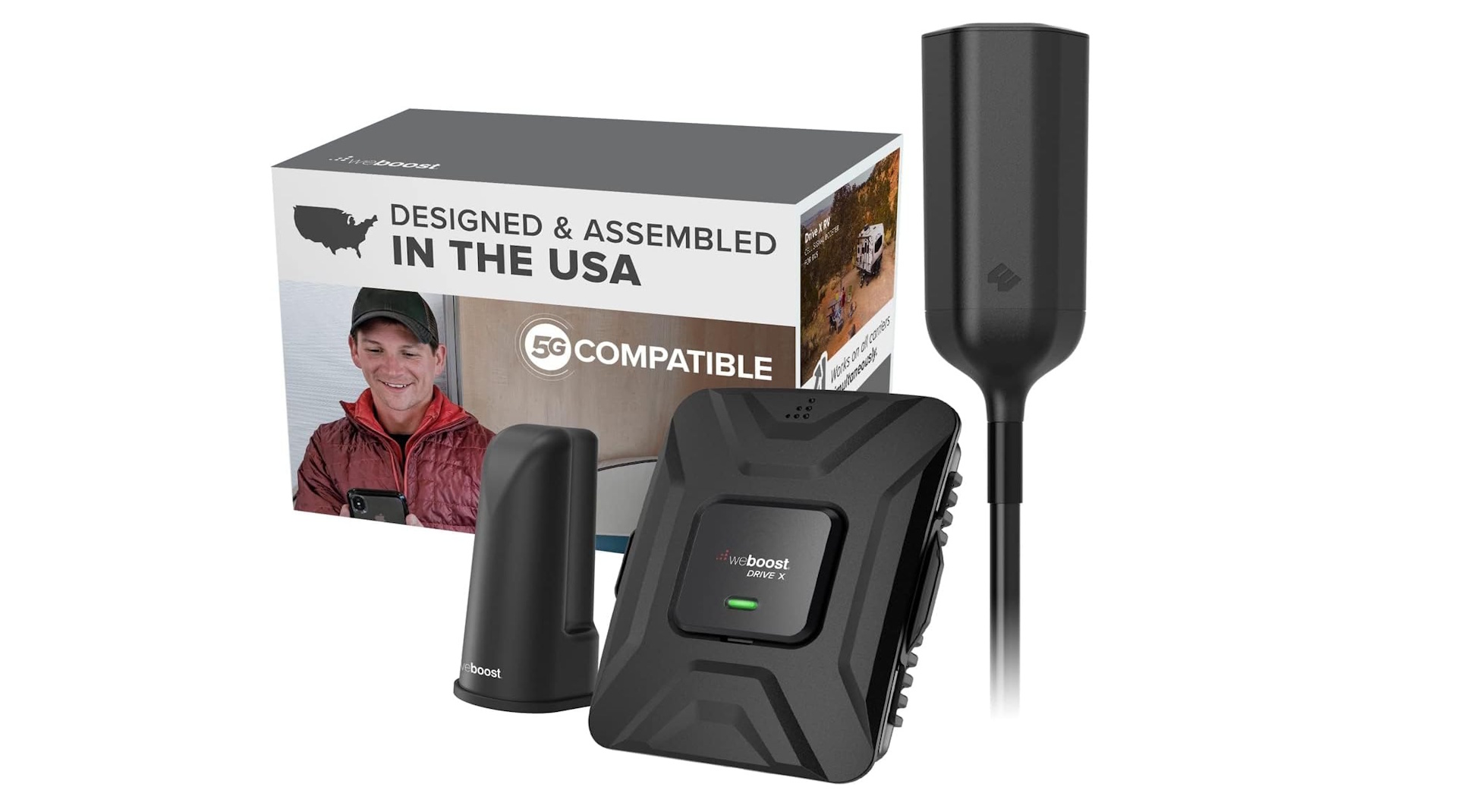
| “What’s in the box” | Booster, outside RV antenna, desktop inside antenna, AC/DC wall power supply, hardwire power supply | You’re not piecing together core components |
| Basic requirement | Needs at least some service to improve | This prevents the #1 disappointment scenario |
Where This Fits in Your RV Connectivity Stack
A signal booster is one layer in the “stay connected” system:
- Signal booster: improves your phone/hotspot’s ability to talk to the tower (when a weak tower signal exists)
- Router/Wi-Fi system: helps share and stabilize connectivity inside the rig
- Power + protection: stable 12V/120V power, surge protection, safe wiring habits
For broader setup strategy, start here:
- RV Tech and Connectivity: A Complete Guide to Wi-Fi, GPS, and Backup Cameras
- Best RV Wi-Fi Boosters & Routers (Top Picks + Setup Tips)
Technical Deep Dive (Simple Explanation, No Engineer-Speak)
How the weBoost Drive X RV works
Think of the kit as a 3-part chain:
- Outside antenna grabs the strongest cell signal it can outside the RV
- Booster (amplifier) increases that signal
- Inside antenna rebroadcasts it inside—creating a small zone where your phone/hotspot performs much better
That’s it. And that’s also why install quality matters so much: if the outside antenna is in a poor spot, the best amplifier in the world is still amplifying a weak input.
The “5G” nuance you should understand
When listings say “boosts 5G,” that typically means it can help with carrier 5G that runs on the same low/mid bands as LTE (the “nationwide 5G” type). It will not turn on ultra-fast “ultra-wideband/mmWave” in the wilderness. The practical takeaway:
- Expect more reliable data and calling where you already had some weak service
- Don’t expect city-grade speed in a dead zone
Key Features (Benefit-Driven, With the Reality Check)
Here’s the table I wish every buyer could see before purchasing.
| Feature | What the manufacturer says | What it actually means (owner experience) | Compared to competitors |
|---|---|---|---|
| Extended reach | Claims improved range vs smaller in-vehicle boosters | Many owners report upgrades from “unusable” to “usable,” but only when there’s at least a trace of signal to work with | Higher-tier RV kits compete here; budget boosters often fail in truly fringe areas |
| Multi-user support | Multiple passengers/devices can benefit | Works best when devices are near the inside antenna—it’s a bubble, not a blanket | Some kits have similar multi-user claims; the practical difference is coverage style + antenna quality |
| Modular outside antenna mounting | Multiple mounting configurations for better positioning | Over a third of owners obsess over mounting/placement—because that’s where performance is won or lost | Modular mounting is a real advantage vs “one-mount-only” designs |
| DIY-friendly install | Marketed as drill-free/easy | A meaningful chunk of owners call it straightforward; another chunk says routing cable cleanly is the real work | Install is comparable across serious RV boosters: cable routing is always the tax |
Real User Experience Analysis (Deep Pattern Breakdown)
I analyzed a large batch of reviews (spanning multiple years) and the patterns are clear.
Pattern #1: Ratings are polarized (and there’s a reason)
In the dataset I reviewed, roughly about half of reviewers landed at 4–5 stars, while a substantial portion landed at 1–2 stars.
In plain terms: people either solved a real problem… or they bought the wrong tool for their situation.
Pattern #2: “It feels premium” shows up, but it’s not the deciding factor
A smaller (but noticeable) group of owners mention solid build/packaging. That’s nice—but build quality is rarely why people keep or return a booster.
Performance is dominated by signal reality + installation.
Pattern #3: The “80% performance” truth for boosters
Owners who are happiest tend to describe improvements like:
- fewer dropped calls
- clearer voice calls
- texts that actually send
- data that becomes stable enough for email, maps, light streaming, and hotspot use
Owners who are angriest tend to describe situations like:
- “I had basically no signal and still have basically no signal” (this is expected behavior) Amazon
- “I expected the whole RV to have full bars” (not how inside antennas work)
- “My mounting location was compromised” (low placement, blocked by the rig, poor cable routing, etc.)
Pattern #4: The inside-antenna “bubble” is the hidden rule
One of the most repeated practical lessons is: you need to be relatively close to the interior antenna to get the full benefit.
So the “pro move” is not just installing it—it’s installing it in a way that matches how you actually live in the RV:
- If you hotspot from the dinette: put the inside antenna aimed at the dinette
- If you work from the bed area: consider that layout in placement
- If you have a router/hotspot device: position that device in the bubble
The Good, The Bad & The Ugly (Brutally Honest)
The Good
Common “keep it forever” themes:
- Fringe-signal rescue: turning weak service into stable calling + usable data Amazon
- Works while driving and while parked: helpful for road days and camp days Amazon
- Mounting flexibility: people get creative to chase better antenna height/clearance
The Bad
Recurring frustration themes:
- Expectation mismatch: a booster can’t help if you’re truly in a no-service void Amazon
- Cable routing is the real install: not “hard,” but annoying in a real RV
- Coverage isn’t whole-coach: you’re managing a stronger zone, not broadcasting Wi-Fi
The Ugly (What can make you hate this purchase)
- If you install it “good enough,” you may get “meh” performance and blame the booster.
- If your outside antenna ends up low or blocked, you’re amplifying a compromised signal.
- If your family expects everyone everywhere to benefit equally, you’ll hear complaints unless the inside antenna is placed strategically.
Owner Stories (The Human Side)
These are paraphrased scenarios that show up repeatedly in the reviews—because this is how boosters live or die in real RV life.
- The “remote campground saver”
An owner spends weeks traveling through rural areas where signal is inconsistent. With the booster correctly mounted and the inside antenna positioned near their usual device spot, they report going from frequent call failures to consistent calling and workable data for maps and messaging. - The “install tweak = huge improvement”
Another owner initially gets underwhelming results. After adjusting antenna placement (higher/clearer outside, more intentional inside antenna aim), they report a noticeable jump—especially in call stability. - The “dead zone reality check”
A buyer expects the booster to solve near-zero service. They still can’t create signal where none exists, and the purchase feels like a miss. This is the scenario you avoid by checking signal reality before buying.
If you want to read the broader review pool yourself, here’s the thread I mined for patterns:
Expert Tips & Installation Hacks (Stuff Owners Learn the Hard Way)
1) Treat antenna placement like you’re tuning an instrument
Small changes in outside antenna height/position can create big changes in results.
Practical steps:
- Start with the highest reasonable mounting location you can manage safely
- Keep the outside antenna away from large obstructions (AC shrouds, racks, etc.)
- After install, test performance in a few known weak areas (not just your driveway)
2) Build your “signal bubble” around your hotspot workflow
If you use:
- a phone as hotspot, or
- a dedicated hotspot device, or
- a cellular router setup
…keep that device close to the inside antenna, and let Wi-Fi handle the rest inside your RV.
3) Avoid self-interference (the silent performance killer)
Boosters can get cranky when inside/outside antennas are too close or poorly separated. In practice: maximize separation and avoid aiming antennas at each other.
4) Use smart power habits (especially at campgrounds)
If you’re powering sensitive electronics on shore power, this is where basic protection pays off:
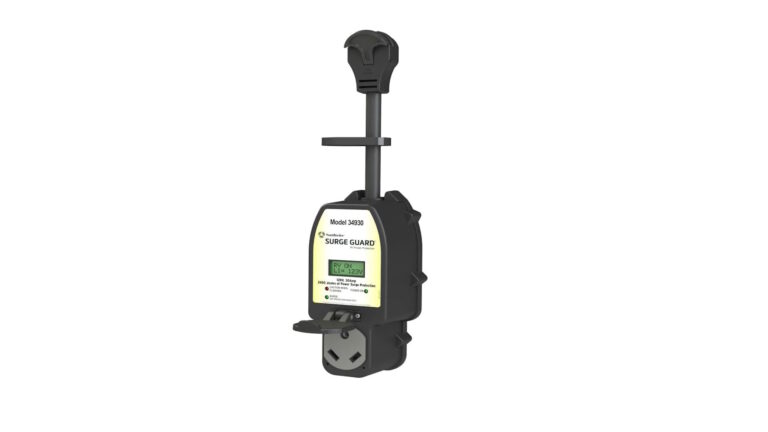
- RV Surge Protectors 101: Safeguarding Your RV’s Electrical System
- RV Electrical Safety Tips: Avoiding Fires, Shocks & Power Damage
Who This Is For (And Who Should Skip It)
You should buy the weBoost Drive X RV if:
- You frequently camp in fringe coverage areas and want more reliable calling/text/data
- You use your phone/hotspot for work, navigation, weather, and staying reachable
- You’re willing to spend an afternoon on a clean install and minor tweaking
- You understand it needs at least some signal to improve Amazon
You should skip it if:
- You expect it to create service where there’s zero service
- You want “whole-RV coverage everywhere” without caring where the inside antenna sits
- Your real goal is internet redundancy (in which case you need a broader connectivity plan, not only a booster)
Deep-Dive FAQ
1) Will it work if I have zero bars?
It can only amplify what exists. The Amazon listing itself notes it requires at least some service to improve. Amazon
If your phone has truly nothing outside, no consumer booster can invent a tower.
2) Does it help data speeds or just calls?
Owners commonly report the most consistent gains in call stability and basic usability. Data improvements happen too, but they’re more variable because congestion and tower backhaul still matter.
3) Can multiple people use it at once?
Yes, it’s designed as a multi-user solution, but the practical limitation is that devices benefit most near the inside antenna.
4) Is it hard to install?
A meaningful chunk of owners call it straightforward. The “hard part” is usually cable routing and mounting decisions—not the electronics.
5) Do I have to register it?
Consumer boosters are generally required to be operated with carrier consent/registration. The FCC notes boosters may be operated only with wireless provider permission. fcc.gov
The Amazon listing also includes a consumer notice about registering with your provider.
Final Verdict
If you camp where signal is merely weak (not absent), and you’re willing to treat antenna placement like a real part of the setup, the weBoost Drive X RV can be one of those upgrades you feel every single day—especially for calls, navigation, and hotspot stability.
If you’re trying to solve a true dead zone, this won’t fix physics—and that’s where most buyer regret comes from.